
Implementation & Support
Onboarding Built Around Your School
Whether you're migrating from another platform or starting fresh, we guide setup, train your staff, and check in all year long.
Every school starts in a different place. Our team helps you bring existing curriculum across — or build from scratch — then trains admins and teachers in live sessions and stays with you well past go-live, so the transition stays smooth and your team stays focused on the classroom.
Your Implementation Journey
A clear, predictable path from first conversation to confident daily use — with Edusfere alongside you at every step.
-
Step 1
Welcome & Setup
Once you sign on, we gather the essentials to build your environment — users, school logo, standards frameworks, and your SSO and Microsoft or Google integration details.
-
Step 2
Build or Migrate
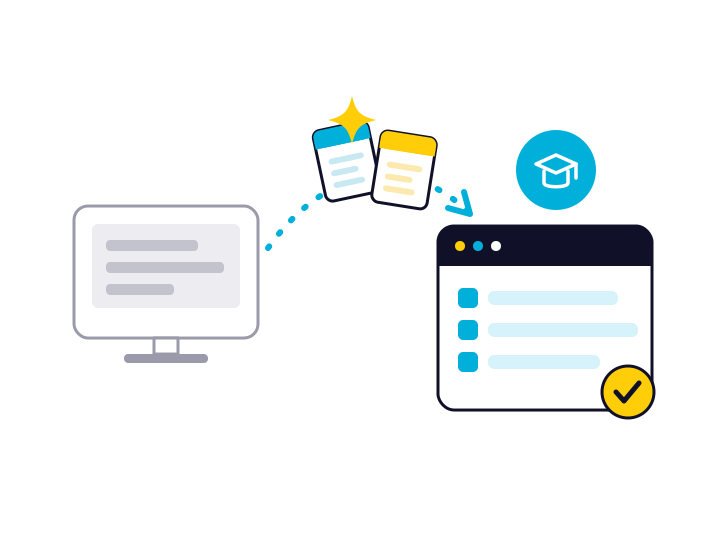
Starting fresh? We help you build. Coming from another system? Share access and our team pulls your active course and unit maps across for you.
-
Step 3
Implementation Call
A short call to align on your rollout, answer questions and schedule your onboarding sessions.
-
Step 4
Admin & Teacher Training
Guided live sessions — admins first to set up and customize, then hands-on training where teachers build real plans in the system.
-
Step 5
Ongoing Check-Ins
Proactive follow-ups at one month, three months, end of year and back-to-school — we don't disappear after go-live.
Support at Every Stage
Onboarding & Training
Live, guided sessions for admins and teachers, plus onboarding video guides and an in-platform tutorial. Teachers train hands-on, building real plans during the session.
Migration or Fresh Start
Coming from another platform? Our team migrates your active course and unit maps for you. Starting from scratch? We help you build — with AI-assisted tools and support for virtually any file type.
Customer Support
A help desk, FAQs, video guides and email support — backed by proactive check-ins at one month, three months, end of year and back-to-school, so you're supported long after launch.
Switching Is Easier Than You Think
If you're moving from another platform, our team does the heavy lifting
- We pull your active course and unit maps from your previous system
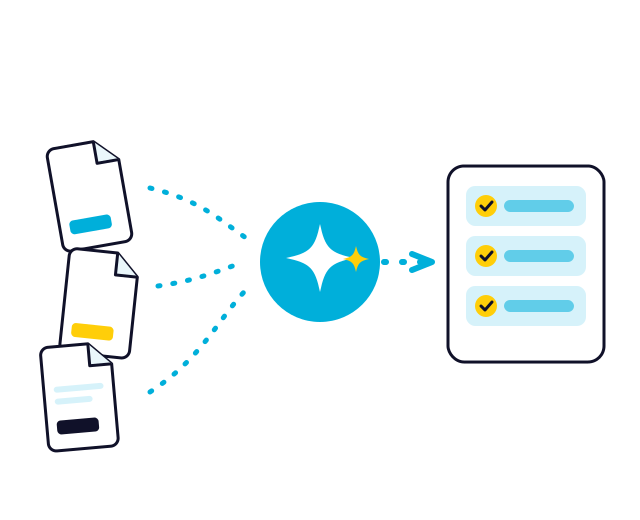
- Bring data from other platforms — or even spreadsheets and internal documents
- AI-assisted, flexible imports help teachers move their own lesson plans quickly
- Standards frameworks aligned, with custom standard sets available
- SSO, plus Microsoft and Google integrations, supported during setup
- Prefer a clean start? We'll help you build your curriculum in Edusfere instead
Switching from CurriculumTrak
Moving off CurriculumTrak? We make Edusfere the easy choice.
Changing platforms shouldn't cost you more or slow you down. For CurriculumTrak schools, we match your current pricing in year one — with further discounts in years two and three — and migrate your data at no additional cost.
- Price-matched for your first year*
- Further discounts in years two and three
- Free migration of your course and unit maps
- Guided, hands-on onboarding for your whole team
*Year-one price match; additional savings apply in years two and three.
Implementation Questions We Hear Most
What school leaders ask before getting started with Edusfere — answered.
How does data migration work?
Once you share access to your previous system, our team pulls your active course and unit maps into Edusfere for you. Teachers move their own lesson plans — they know them best — and our AI-assisted import tools make that quick. For migrations, we typically ask for around two weeks between getting access and your admin onboarding.
What file types can we import?
Virtually any file type works for lesson imports, and there's a copy-and-paste-as-text option for anything that won't upload directly. Custom standard sets can be provided in CSV, XLSX or Google Sheets format. We can also bring data across from spreadsheets or internal documents, not just other platforms.
Do we have to be migrating from another system?
Not at all. Many schools start fresh in Edusfere, and onboarding works the same way — we help you set up and build your curriculum, then train your team. Migration is simply an extra step we handle for schools coming from another platform.
What training do staff receive?
Live, guided onboarding for both admins and teachers, plus onboarding video guides and an in-platform tutorial. Teacher training is hands-on — staff build a real course, unit and lesson during the session, with our trainer there to answer questions. Larger schools can split training across groups.
What support is available after go-live?
You get a help desk, FAQs, video guides and email support, plus proactive check-ins at one month, three months, end of year and back-to-school. We stay in touch well beyond launch — and Full Service includes a dedicated Onboarding Manager.
Do we need to install anything?
No. Edusfere is fully cloud-based and works on any internet-enabled device — laptops, desktops and tablets — with no installation required.